
New Mix
v5
Gateway URL: https://gateway.vectorsurv.org/v5/application/mix
Creating mixes in VectorSurv allows you to record applications using the specific products and chemical combinations your agency utilizes regularly.
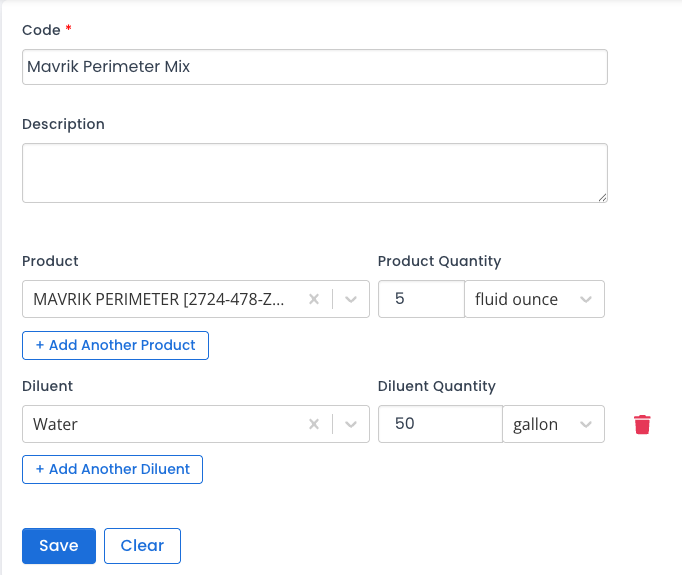
- Code: A unique identifier for the mix (e.g., “ULV mix 12”). This field accepts both letters and numbers and should match the naming convention used by your agency.
- Description: A brief summary or name for the mix to help staff identify it quickly.
- Products: The active ingredients in the mix. Each product entry includes three fields: Product Name/EPA Number, Quantity, and Units.
- Adding Products: Search by name or EPA Registration Number.
- A mix must contain at least one product.
- Diluents: Record any substances used to dilute the active products. Like the products section, this includes three fields for Name, Quantity, and Units.
- Note: Mixes are not required to include a diluent.
Important: Verify the EPA number on your physical product label. Some products may appear multiple times in the system as formulations or registrations change over time.